Hull Spec Plaque
- Minimum OS
- Windows 10 (64-bit)
- Minimum RAM
- 16 GB RAM
- Storage Required
- 4 GB available space
- CPU / GPU Models
- Not yet specified on Steam or GOG
- Confirmed Platforms
- Windows PC (Steam & GOG DRM-Free)
- Input & Mode
- Single-player; Mouse Only Option supported
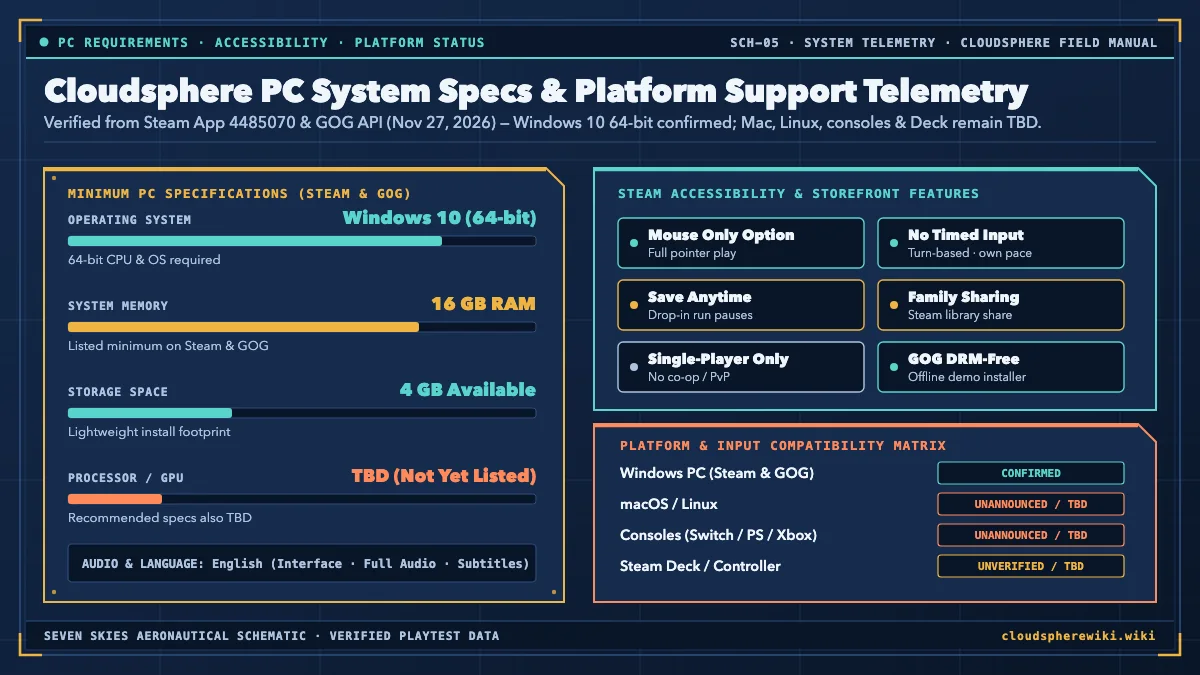
Review the verified Cloudsphere system requirements below before installing Steam Playtest 2 or the GOG Demo for Laki Studios' modular roguelike airship deckbuilder. Note for search visitors: this page documents PC hardware specs for Laki Studios' video game, not CloudSphere IT multi-cloud platform documentation. Because Cloudsphere is still in active pre-release development, current storefront listings publish core OS, memory, and disk floors while leaving exact processor and graphics card tiers to be confirmed closer to launch.
All hardware specs, store features, and platform flags on this page are verified directly from the official Steam Store page (AppID 4485070) and GOG Store pages as of November 27, 2026.
Official Cloudsphere System Requirements (Steam & GOG)
Both Steam and GOG list identical minimum Windows specifications for Cloudsphere, while the Recommended column on Steam currently notes only the 64-bit architecture requirement.
| Component | Minimum (Official Steam & GOG) | Recommended (Official Steam) |
|---|---|---|
| Architecture | 64-bit processor and operating system | 64-bit processor and operating system |
| Operating System | Windows 10 (64-bit) | To be confirmed |
| Memory (RAM) | 16 GB RAM | To be confirmed |
| Storage Space | 4 GB available space | To be confirmed |
| Processor (CPU) | Not yet specified by developer | Not yet specified by developer |
| Graphics (GPU) | Not yet specified by developer | Not yet specified by developer |
What to Check Before Downloading the Free Builds
- Check your RAM headroom first: While the 4 GB storage footprint is very compact for a modern 3D isometric indie strategy game, the 16 GB RAM minimum is higher than many 2D deckbuilders. Closing browser tabs or heavy background apps on 16 GB laptops helps keep frame pacing smooth.
- Test performance for free before release: Because Laki Studios has not posted exact CPU or GPU model floors yet, the safest benchmark is launching the free open-access Steam Playtest 2 or the GOG Demo directly on your machine. Follow our Cloudsphere Release Date, GOG Demo & Steam Playtest 2 Guide for instant download steps.
Confirmed Platforms, DRM, and Language Support
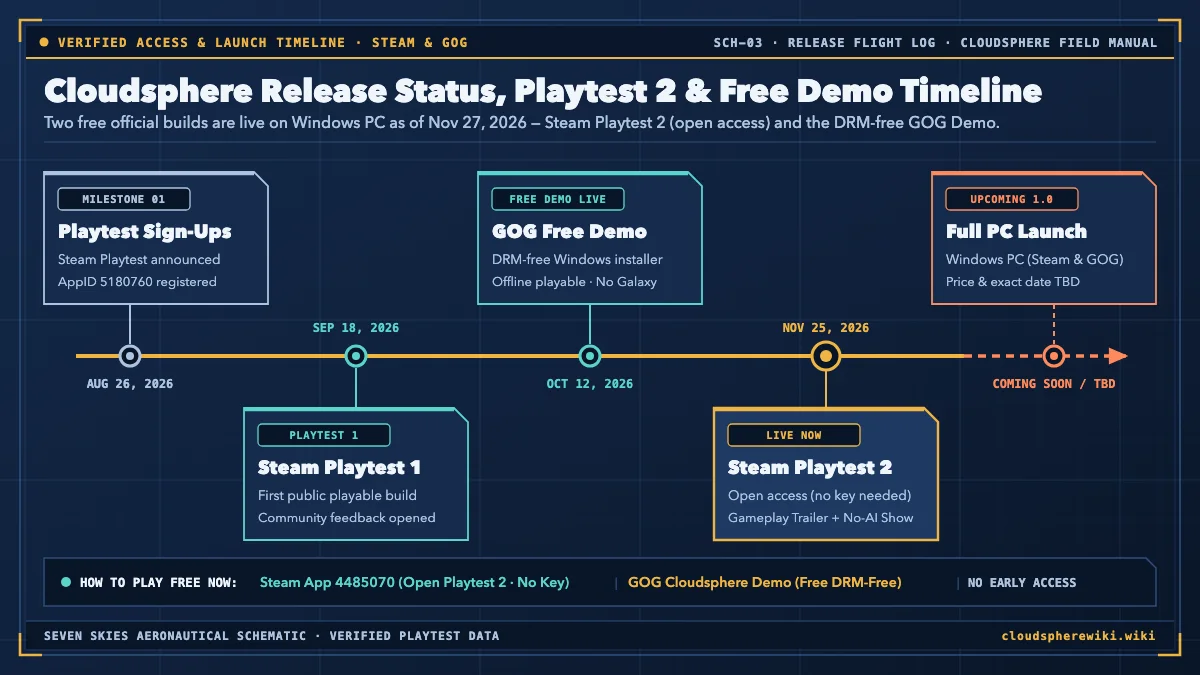
Cloudsphere is confirmed exclusively for Windows PC across two digital storefronts:
| Storefront | DRM & Offline Policy | Extra Verified Store Features |
|---|---|---|
Steam (AppID 4485070) |
Standard Steam client | Single-player, Steam Family Sharing, Open Playtest (AppID 5180760) |
GOG (cloudsphere / cloudsphere_demo) |
DRM-Free (offline installer supported, no GOG Galaxy required) | Single-player, Free Demo live, GOG Overlay listed on Demo page |
Language, Mode & Storefront Notes
- Supported Language: English (Interface, Full Audio, and Subtitles verified on both Steam and GOG). Additional localization languages have not yet been announced by Laki Studios.
- Player Mode: Single-player only (no co-op, PvP, or online multiplayer modes).
- Choosing Steam vs. GOG for Your PC: Pick Steam if you want instant updates to Steam Playtest 2 (
AppID 5180760) and Steam Family Sharing once the full game releases. Pick GOG if you prefer a DRM-free offline installer (cloudsphere_demo) that runs without keeping a storefront launcher open in the background—helpful on PCs right at the 16 GB RAM mark.
Accessibility & Control Options (Verified on Steam)
Although Cloudsphere carries Steam tags like Difficult, Turn-Based Strategy, and Perma Death, Laki Studios includes a thoughtful set of pacing and control options confirmed in Steam's official accessibility metadata:
- Mouse Only Option: Play complete Cloudsphere runs using only a mouse or trackpad, without needing keyboard shortcuts.
- Playable at Your Own Pace: Full turn-based tactical combat lets you inspect enemy telegraphs, module Durability, and heat levels without time pressure.
- Playable without Timed Input: Zero reflex prompts or real-time quick-time events during airship battles.
- Save Anytime: Pause mid-expedition and resume later without losing run progress.
- Custom Volume Controls & Stereo Sound: Independent audio sliders built into the client.
Mac, Linux, Steam Deck, Controller & Console Status
Players checking Cloudsphere system requirements frequently ask whether the game supports non-Windows machines or handheld play. Here is the exact verified platform status as of November 27, 2026:
| Platform / Feature | Current Official Status | Verified Context |
|---|---|---|
| Windows PC | Confirmed | Playable right now via Steam Playtest 2 and GOG Demo |
| macOS | Not announced | Marked mac: false on both Steam and GOG |
| Linux | Not announced | Marked linux: false on both Steam and GOG |
| Steam Deck | Unverified | No official Steam Deck Verified or Playable badge published yet |
| Controller Support | Not listed | Steam lists Mouse Only Option with no controller tag; a player asked about future plans on Steam Discussions (Nov 26, 2026) with no official reply yet |
| Switch / PlayStation / Xbox | Not announced | Laki Studios' previous title Oaken launched in Early Access on PC in May 2022 before arriving on PC, Switch, PS4, PS5, Xbox One, and Xbox Series X|S in July 2023—however, Laki Studios has not announced any console versions for Cloudsphere |
Pre-Download Checklist & Next Steps
Before downloading Cloudsphere on Windows PC, run through this quick Cloudsphere system requirements three-point check:
- Verify 64-bit Windows 10 (or newer), 16 GB RAM, and 4 GB of free storage on your target drive.
- Close memory-heavy background apps if your PC sits right at 16 GB RAM, especially while CPU and GPU floors remain unannounced during playtesting.
- Benchmark with a free build first using our Cloudsphere Release Date, GOG Demo & Steam Playtest 2 Guide.
Once Cloudsphere runs smoothly on your machine, bookmark the Cloudsphere Beginner's Guide for first-run survival tips, study Modules & Ship Deck to plan your grid layout, and review Cloudsphere Best Airship Builds before tackling the Seven Skies.
Frequently Asked Questions
Why does Cloudsphere list 16 GB RAM in its minimum system requirements?
Both Steam and GOG currently publish 16 GB RAM alongside Windows 10 (64-bit) and 4 GB storage as Cloudsphere's baseline minimum spec during active playtesting. Laki Studios has not yet published granular CPU, GPU, or Recommended tiers, so hardware requirements may be refined closer to full release.
Does Cloudsphere run on Mac or Linux?
No native macOS or Linux versions are confirmed. Both Steam and GOG list Cloudsphere exclusively for Windows PC (mac: false, linux: false) as of November 27, 2026.
Is Cloudsphere Steam Deck Verified or controller supported?
Not yet. Cloudsphere has no official Steam Deck Verified or Playable rating, and controller support is not listed on the Steam store page. Steam currently confirms Mouse Only Option and Playable without Timed Input.
Is Cloudsphere coming to Nintendo Switch, PlayStation, or Xbox?
No console versions have been announced for Cloudsphere. While Laki Studios' previous title Oaken released on Switch, PS4, PS5, Xbox One, and Xbox Series X|S alongside PC, only Windows PC (Steam and GOG) is confirmed for Cloudsphere so far.
Does Cloudsphere have multiplayer or co-op?
No. Both Steam and GOG explicitly list Cloudsphere as a single-player game only.
Continue Reading
Cloudsphere Release Date, GOG Demo & Steam Playtest 2
Verified release date status, Steam Playtest 2 open-access instructions, DRM-free GOG Demo download details, and development timeline for Cloudsphere…
Cloudsphere Beginner's Guide: Combat & Survival Tips
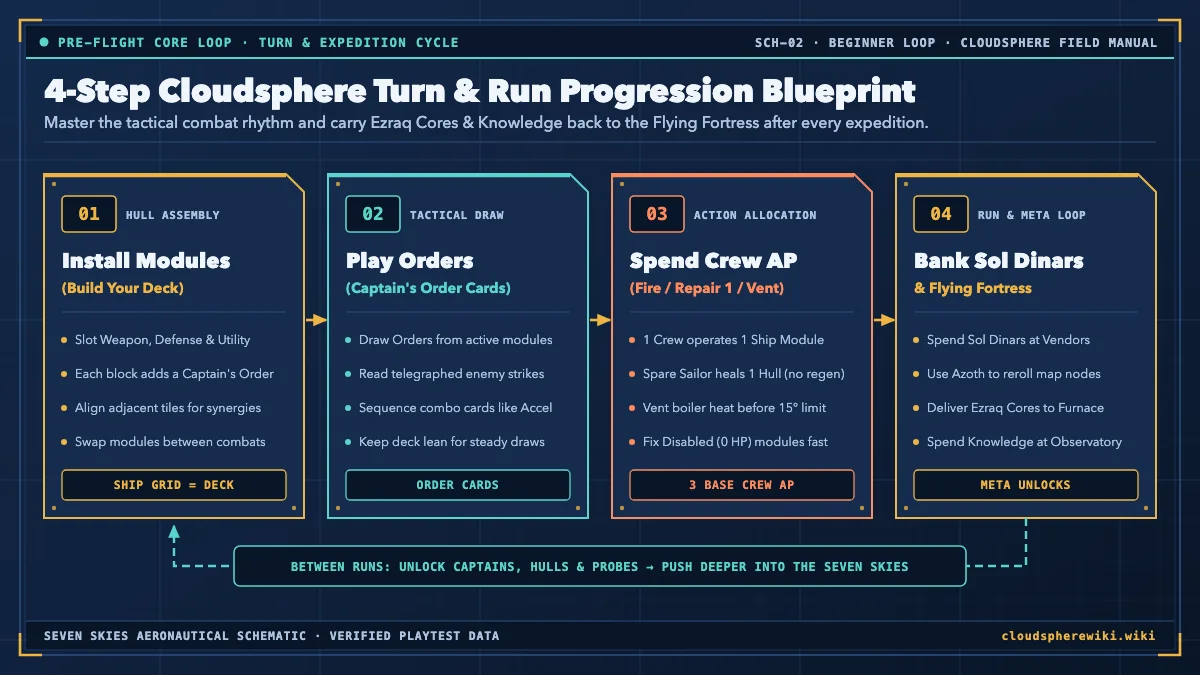
Practical first-run survival guide for Cloudsphere by Laki Studios, covering Captain's Orders, Sailor hull repairs, heat limits, Sol Dinar economy, a…
Cloudsphere Best Airship Builds & Module Synergies
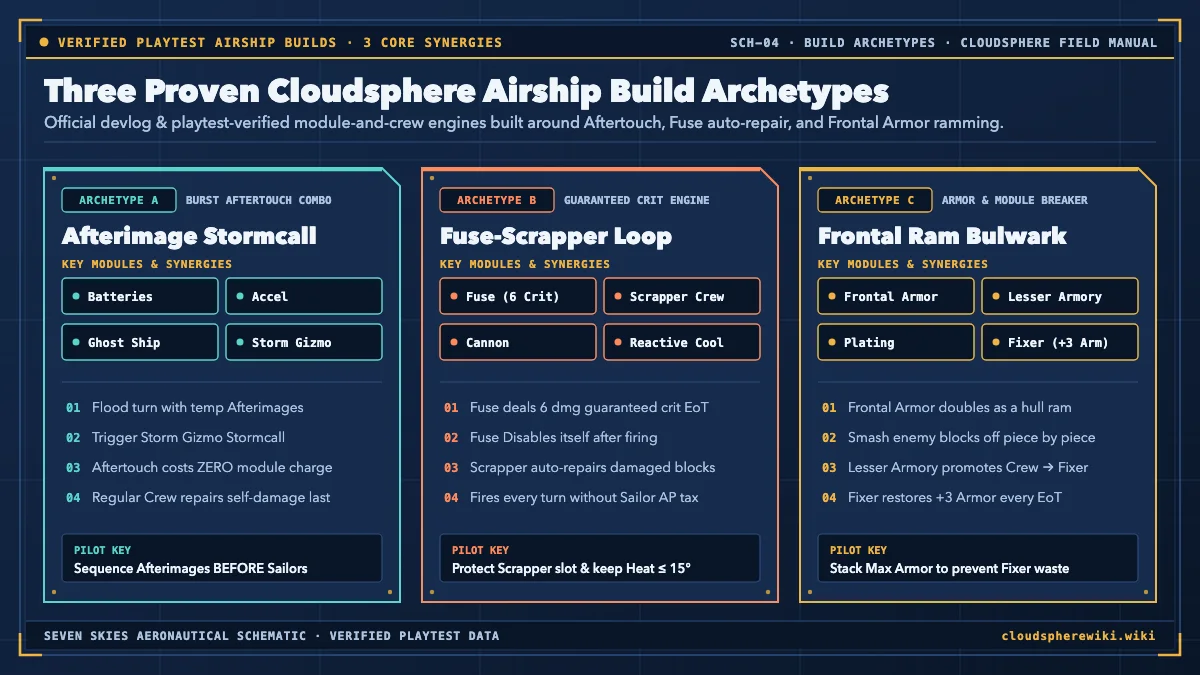
Four verified Cloudsphere airship build archetypes combining official Laki Studios Crewmate synergies and playtest-tested module loadouts, grid posit…
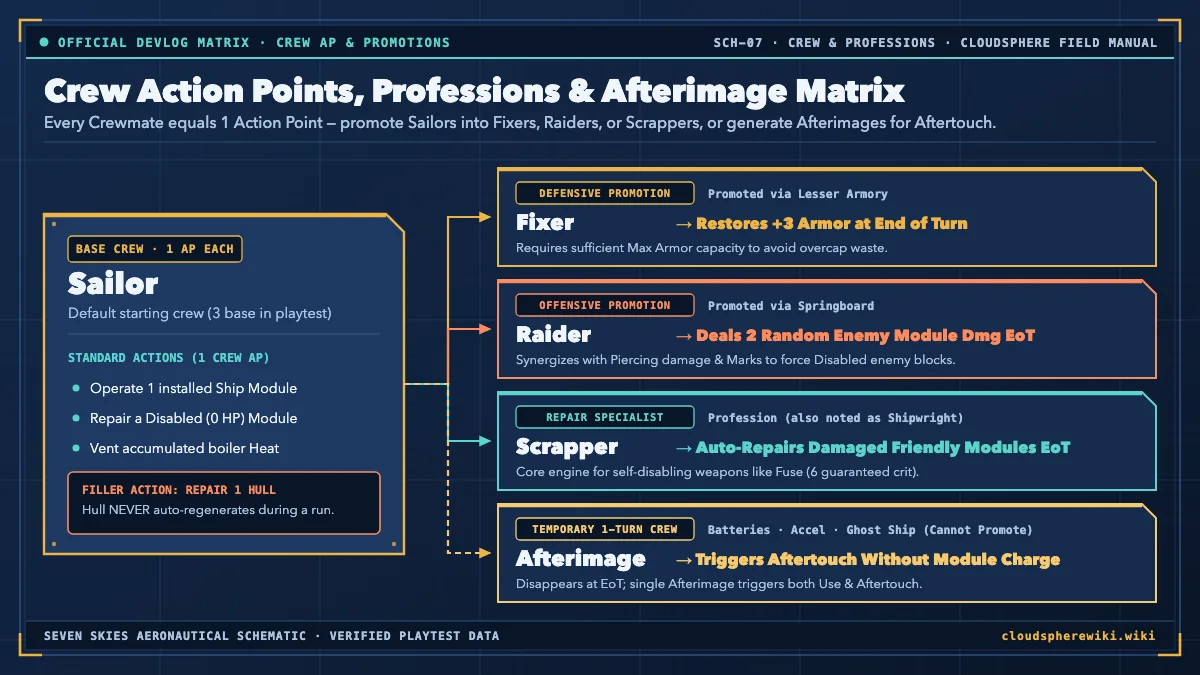
Cloudsphere Crew Guide: Action Points & Professions
Breakdown of Cloudsphere's confirmed Crewmate system: Sailors as action points, Fixer, Raider, and Scrapper promotions, and Afterimages.